Many seasoned hobbyists try to serve static pages directly from Google Drive, assuming the free storage will double as a cheap web host. The idea is appealing, but without a clear plan you quickly run into broken links, permission errors, and SEO headaches. Below we unpack the most frequent mistakes and show smarter alternatives that keep your site live, fast, and searchable.
Misunderstanding Drive’s Sharing Settings
The biggest trap is treating a Drive folder like a traditional web server. If the folder or individual files aren’t set to “Anyone with the link can view,” browsers will return a 403 error, and search engines won’t index your pages. Double‑check the sharing status after each upload, and use the “Share → Get link → Anyone with the link → Viewer” option to make the content publicly reachable.
Relying on Direct File Links for Navigation
Linking to https://drive.google.com/file/d/…/view URLs creates a Google‑styled preview page rather than delivering the raw HTML. This extra wrapper adds latency and prevents CSS or JavaScript from loading correctly. The workaround is to use the “Export” link format (https://drive.google.com/uc?export=download&id=FILE_ID) which serves the file directly. However, this method still isn’t ideal for a full‑featured site because Google may throttle repeated requests.
Alternative: Use Google Sites for Simple Projects
For hobbyists who only need a brochure‑style presence, Google Sites integrates seamlessly with Drive files and automatically handles permissions. Drag‑and‑drop your images, PDFs, or spreadsheets onto a page, and Google takes care of the hosting logistics. The result is a clean URL (e.g., https://sites.google.com/view/your‑project) that’s indexed without extra configuration.
Alternative: Pair Drive with a Free Static Host
If you need more control—custom domains, HTTPS, or automated builds—consider coupling Drive with a static‑site service like GitHub Pages or Netlify. Store your source assets in Drive for easy collaboration, then push the final build to the host. The host handles traffic spikes, caching, and SEO while Drive remains your collaborative workspace.
Real‑World Mistake: Ignoring File Naming Conventions
Spaces, capital letters, and special characters in file names break URLs when served from Drive. A file named My Photo.jpg becomes My%20Photo.jpg, which many browsers interpret incorrectly in a static site context. Stick to lowercase, hyphens, and .html extensions (e.g., my-photo.jpg) to keep URLs clean and predictable.
Smart Testing Before Going Live
Use the Chrome incognito window or a different device to verify that every page loads without a Google login prompt. Tools like W3C’s validator can spot HTML errors that cause Drive to render the preview page instead of your content. Catching these issues early saves you from embarrassing “404” moments after launch.
Visual Cue: Google’s AI Search Leaks Content
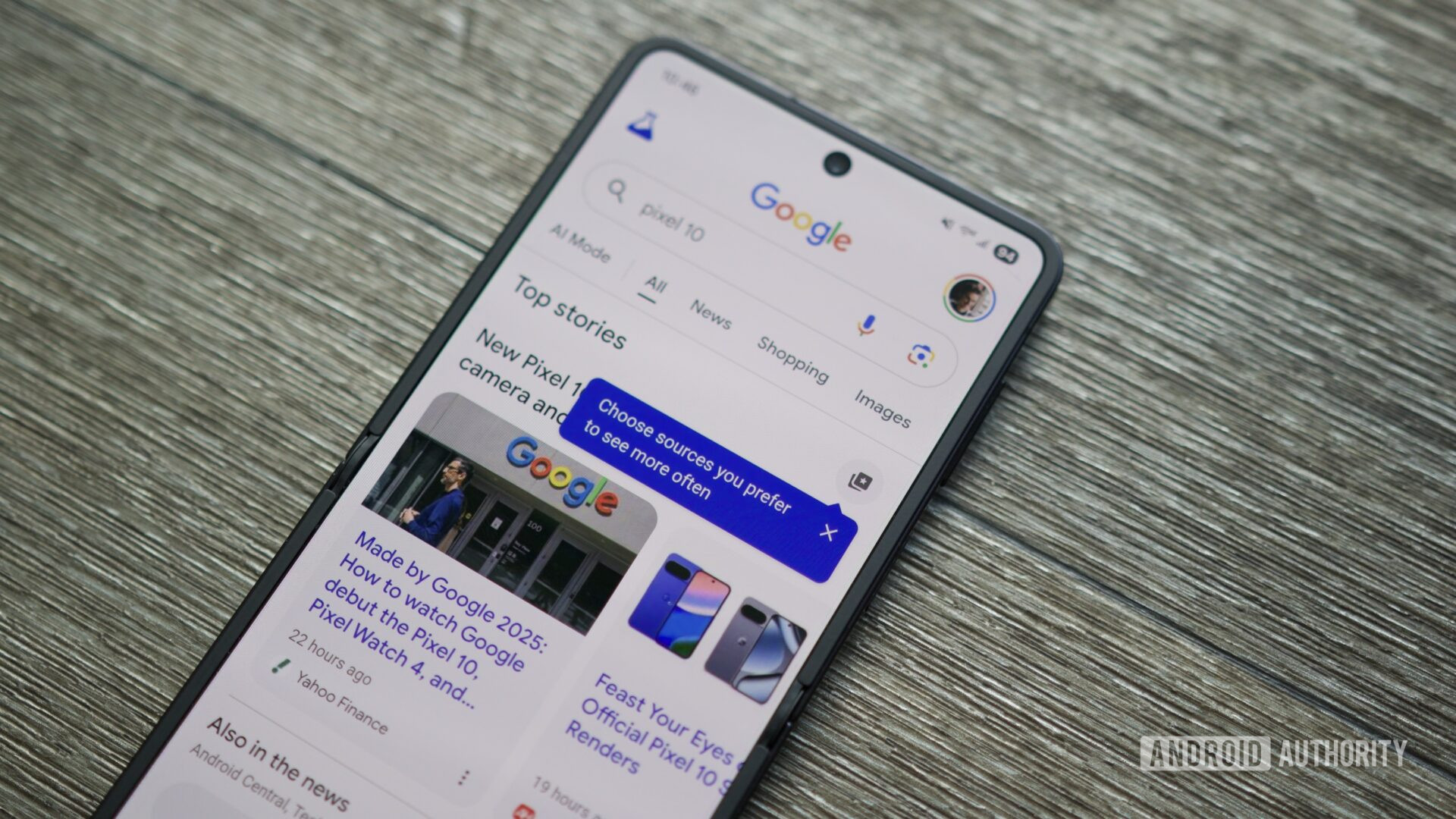
This screenshot of a recent AI‑driven search experiment reminds us that search engines can surface unintended content if your Drive files aren’t properly secured. Treat every publicly shared file as a potential entry point for crawlers; tighten permissions to only what you truly want the world to see.
Visual Cue: AI in Clinical Video Consultations

Just as Google separates AI‑driven video streams from static storage, you should separate your site’s hosting layer from the Drive folder that holds assets. This architectural split reduces the risk of downtime and makes it easier to swap out a host without moving every file.
By acknowledging the limits of Google Drive as a web host and opting for a hybrid or dedicated static‑site solution, you avoid the typical frustrations and keep your hobby project shining in search results. Start with the right sharing settings, use direct export links sparingly, and consider a free static host for the heavy lifting. Your site will be faster, safer, and far more enjoyable for visitors.
Many seasoned hobbyists try to serve static pages directly from Google Drive, assuming the free storage will double as a cheap web host. The idea is appealing, but without a clear plan you quickly run into broken links, permission errors, and SEO headaches. Below we unpack the most frequent mistakes and show smarter alternatives that keep your site live, fast, and searchable.
Misunderstanding Drive’s Sharing Settings
The biggest trap is treating a Drive folder like a traditional web server. If the folder or individual files aren’t set to “Anyone with the link can view,” browsers will return a 403 error, and search engines won’t index your pages. Double‑check the sharing status after each upload, and use the “Share → Get link → Anyone with the link → Viewer” option to make the content publicly reachable.
Relying on Direct File Links for Navigation
Linking to https://drive.google.com/file/d/…/view URLs creates a Google‑styled preview page rather than delivering the raw HTML. This extra wrapper adds latency and prevents CSS or JavaScript from loading correctly. The workaround is to use the “Export” link format (https://drive.google.com/uc?export=download&id=FILE_ID) which serves the file directly. However, this method still isn’t ideal for a full‑featured site because Google may throttle repeated requests.
Alternative: Use Google Sites for Simple Projects
For hobbyists who only need a brochure‑style presence, Google Sites integrates seamlessly with Drive files and automatically handles permissions. Drag‑and‑drop your images, PDFs, or spreadsheets onto a page, and Google takes care of the hosting logistics. The result is a clean URL (e.g., https://sites.google.com/view/your‑project) that’s indexed without extra configuration.
Alternative: Pair Drive with a Free Static Host
If you need more control—custom domains, HTTPS, or automated builds—consider coupling Drive with a static‑site service like GitHub Pages or Netlify. Store your source assets in Drive for easy collaboration, then push the final build to the host. The host handles traffic spikes, caching, and SEO while Drive remains your collaborative workspace.
Real‑World Mistake: Ignoring File Naming Conventions
Spaces, capital letters, and special characters in file names break URLs when served from Drive. A file named My Photo.jpg becomes My%20Photo.jpg, which many browsers interpret incorrectly in a static site context. Stick to lowercase, hyphens, and .html extensions (e.g., my-photo.jpg) to keep URLs clean and predictable.
Smart Testing Before Going Live
Use the Chrome incognito window or a different device to verify that every page loads without a Google login prompt. Tools like W3C’s validator can spot HTML errors that cause Drive to render the preview page instead of your content. Catching these issues early saves you from embarrassing “404” moments after launch.
Visual Cue: Google’s AI Search Leaks Content
This screenshot of a recent AI‑driven search experiment reminds us that search engines can surface unintended content if your Drive files aren’t properly secured. Treat every publicly shared file as a potential entry point for crawlers; tighten permissions to only what you truly want the world to see.
Visual Cue: AI in Clinical Video Consultations
Just as Google separates AI‑driven video streams from static storage, you should separate your site’s hosting layer from the Drive folder that holds assets. This architectural split reduces the risk of downtime and makes it easier to swap out a host without moving every file.
By acknowledging the limits of Google Drive as a web host and opting for a hybrid or dedicated static‑site solution, you avoid the typical frustrations and keep your hobby project shining in search results. Start with the right sharing settings, use direct export links sparingly, and consider a free static host for the heavy lifting. Your site will be faster, safer, and far more enjoyable for visitors.
Google Search Market Share 2026: Updated Top 10
.png/1280px-Google_Search_screenshot_in_2026_(EN).png?utm_source=en.wikipedia.org&utm_campaign=api&utm_content=thumbnail)
Google Search Market Share 2026: Updated Top 10
Google Loses Bid To Block UK Class Action Over Search Ads
Google Loses Bid to Block UK Class Action Over Search Ads
Google Brings ASL-to-text Translation To Pixel 11

Google brings ASL-to-text translation to Pixel 11